Browse existing users & deleting, suspending and editing individual users v2
This will allow you to browse and view the profiles of existing users on the platform.
Here you can also delete, suspend or edit existing users.
Step 1. Select Users under Site Administration
Step 2. Select Accounts under Users to access Users List
Step 3. From the list or search bar, locate for the user that you’d like to view, delete or suspend.
Once you have found the user or users that you are looking for you can perform the following tasks.
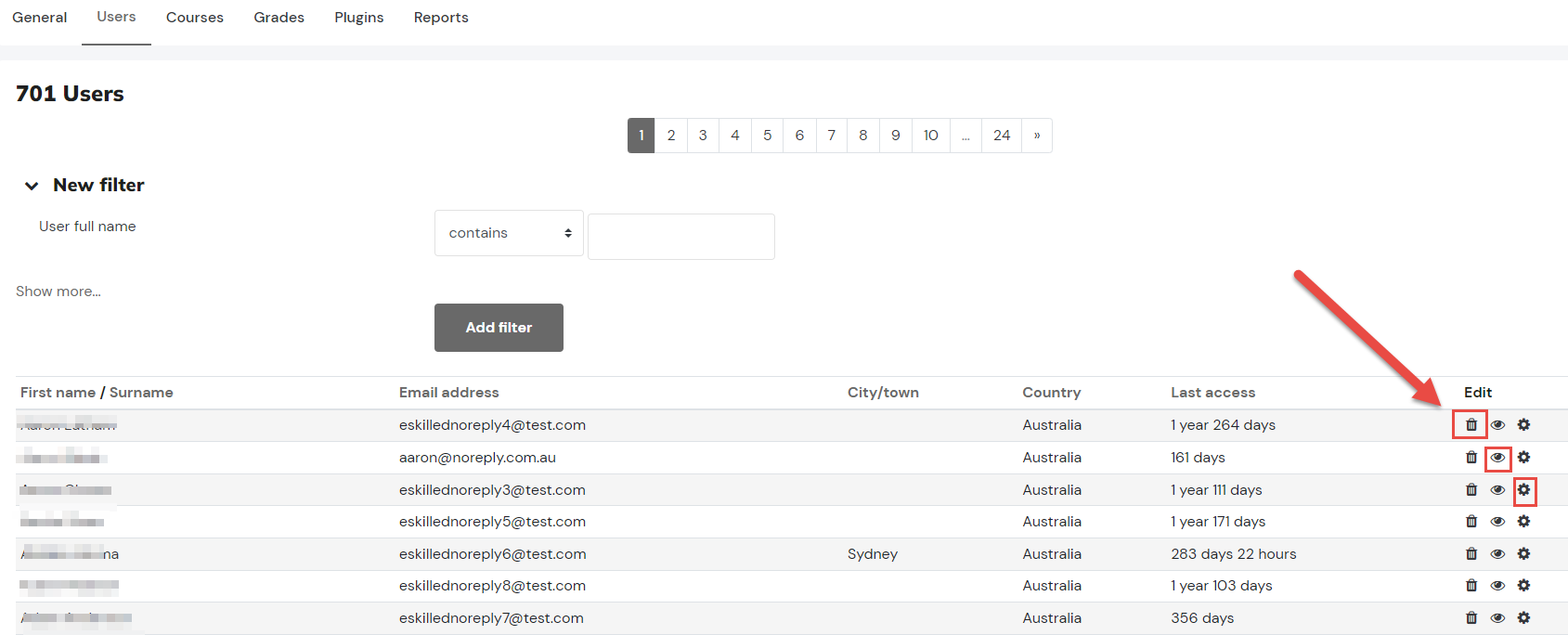
- Editing a user - Select the Cog, in the edit column - see our article on how to update a user profile for further information.
- Delete a user - Select X icon, in the edit column
- Suspend/Activate a user - Select the Eye icon, in the edit column